rondomingue.com ↗

Cinematic
Field Guide

Unreal Engine 5 production references for cinematographers coming from Cinema 4D, Octane, and Redshift. Lighting, rendering, color grading, camera systems, and character workflows.
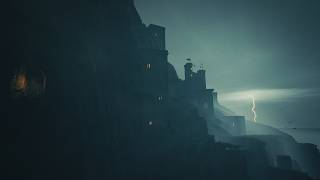
Ravens Isle
Ravens Isle
UE5 Cinematic
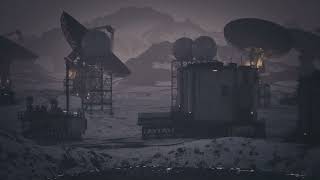
Desert Silence
Desert Silence
UE5 Cinematic
Dark Star
Dark Star
UE5 Cinematic
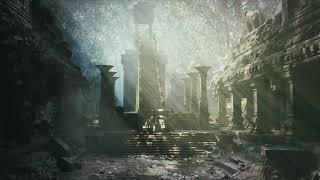
Temple of the Sun
Temple of the Sun
UE5 Cinematic
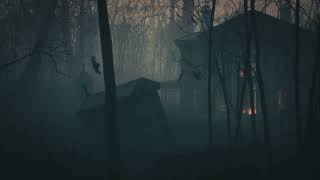
Haunted Swamp
Haunted Swamp
UE5 Cinematic
Cold Warnings
Cold Warnings
UE5 Cinematic
Guides 03 available
01
Arri Alexa Blueprint Camera
A UE5 Blueprint CineCamera that physically simulates the ARRI Alexa Super 35 with the full ARRI/ZEISS Master Prime lens set. 16 focal lengths from 12mm to 150mm, real sensor dimensions, T1.3 aperture, and accurate minimum focus distances.
UE5 Blueprint ARRI Alexa ZEISS Master Prime CineCamera Super 35
Open guide
02
Cinematographer's
Light Units Cheat Sheet
Unit comparisons across real photography, Octane Render, Redshift, and Unreal Engine 5. Color temperature reference, EV values, conversion formulas, and cross-app workflow translations.
Octane Redshift Unreal 5 Real Camera Candela EV / Lux Color Temp
Open guide
03
Cinematic Color &
LUT Pipeline
How to disable tone mapping in Octane, Redshift, and UE5 and let DaVinci Resolve do the heavy lifting. ACES pipeline, EXR workflow, node tree breakdown, Dehancer 35mm settings, LUT export, and delivery specs.
DaVinci Resolve ACES EXR Dehancer LUT Octane Redshift UE5
Open guide
Featured Tool · Unreal Engine 5 Ultra Dynamic Sky
Featured Tool · Unreal Engine 5

Ultra Dynamic Sky

The fastest way to a fully realized sky system in UE5 without building one from scratch.

Building a production-ready sky in Unreal from scratch means wiring together Sky Atmosphere, Volumetric Clouds, Sky Light, weather states, and time-of-day logic — hours of setup before you've lit a single frame. Ultra Dynamic Sky collapses that entire system into a single actor you drop into your scene and start dialing.

The real value isn't just speed it's the range. Clear noon sun, heavy overcast, rolling storm front, golden hour haze you can move between completely different looks by adjusting a handful of parameters. For cinematic work, that creative agility is the point. You're making lighting decisions, not engineering a weather simulation.

The VRAM cost is real. UDS's volumetric clouds and dynamic weather are GPU-heavy. On complex scenes you'll feel it — especially if you're also running Lumen, Nanite, and path tracing. Budget accordingly and consider reducing cloud quality for hero shots where sky detail isn't the focus.
Unreal Engine 5 Sky Atmosphere Volumetric Clouds Weather System Lumen Cinematic Lighting
ultradynamicsky.com ↗
Tips & Workflow
01
Set time of day first, then layer weather
Lock your sun angle before touching clouds or weather it drives color temperature, shadow length, and mood. Once time of day is right, keyframe the Weather parameter in Sequencer to animate sky changes mid-scene. Even a subtle 30-second shift from clear to overcast adds cinematic life that static skies can't match.
02
Let UDS drive your Sky Light and fog
Enable Sky Light control so ambient color and intensity shift automatically as weather changes free atmospheric lighting from a single parameter. Pair with UDS's fog integration: even subtle haze on a clear day separates foreground, midground, and background in a way most CG environments lack.
03
Manage VRAM — reserve Ultra for hero shots
Drop Cloud Quality to Medium or Low on interiors or scenes where sky is barely visible. Full volumetrics for 10% of frame is wasted budget. Reserve Ultra for wide establishing shots, and use lightning in Sequencer — a single well-timed bolt adds enormous drama for almost no extra work.
Reference & Tools Extras
Ron Domingue insignia
Ron Domingue
New Orleans-based Art Director and 3D Visual Artist. These guides are working references built for real production: cinematic lighting, rendering, and virtual production across Cinema 4D, Octane, Redshift, and Unreal Engine.
rondomingue.com ↗